


A repeated task, a spreadsheet, or a slow handoff can be a useful signal that a business process needs attention. The first step is to understand the work well enough to choose an appropriate response.
Follow one real request, quote, or order from beginning to end. Identify the people involved, the information they need, the decisions they make, and the tools that already support them.
Find the point of friction
Look for repeated data entry, unclear ownership, missing context, and decisions that depend on one person’s memory. Ask what happens on a normal day and what happens when an exception arrives.
Sometimes the process needs a clearer responsibility or approval step. Sometimes existing tools need to exchange information. Sometimes people need a new interface that brings the rules and decisions into one usable experience.
When an integration makes sense
An integration is worth investigating when the current tools already do their individual jobs well and the friction sits between them. An inquiry might need to reach a CRM with the right context, or an approved order might need to create a record in another system.
Discovery needs to establish what each tool can expose, which system owns each piece of information, what access is appropriate, and how failures or duplicate updates are handled. The team also needs an owner who can understand the status of the workflow.
Explore an integration when the tools do their jobs and information needs to move between them.
Explore a product when people need a new way to make decisions and complete the work.
When a custom product makes sense
A custom product becomes a useful conversation when people need an experience built around the business’s own rules. Configurators, quoting tools, dealer portals, and customer applications can bring a set of decisions together in a way existing interfaces do not.
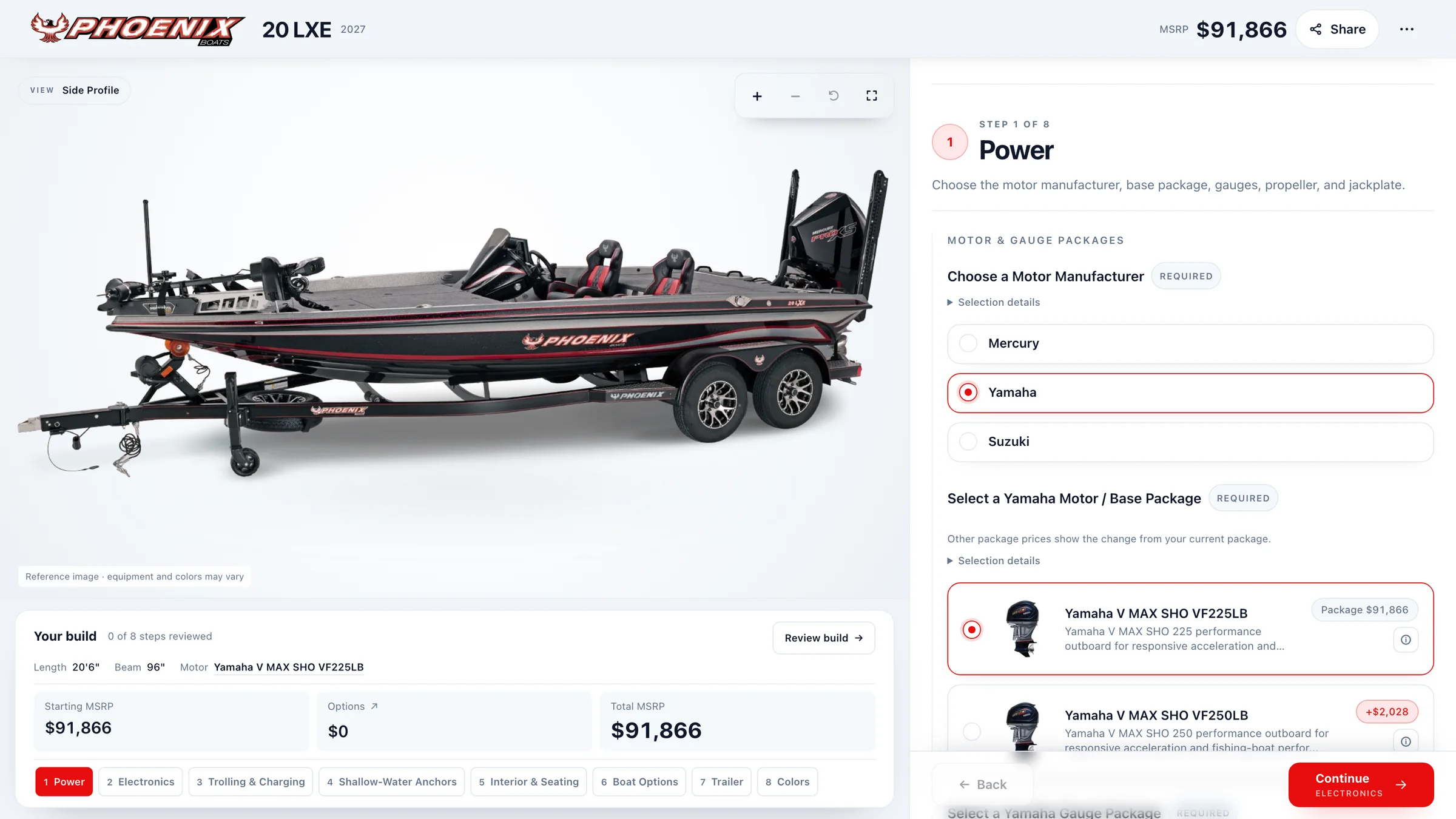
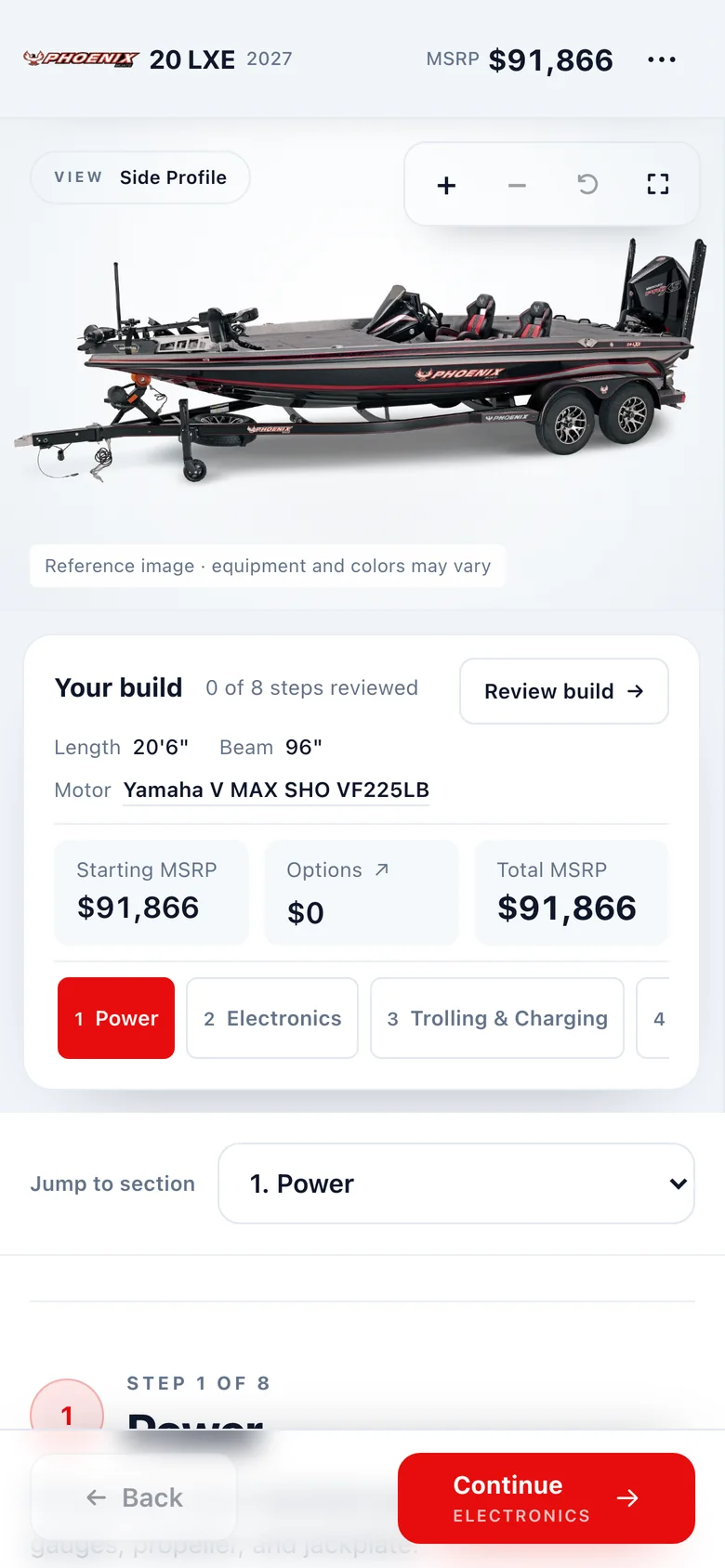
The Action Craft project brings a custom website, a visual boat configurator, and a dealer portal into the buying and ordering process. It is an example of several connected experiences serving distinct users and tasks.
Use AI where it helps the task
AI can be useful when a step involves interpreting a request, organizing information, or preparing a draft for review. Structured business rules, calculations, and system handoffs need a reliable foundation and clear ownership.
Agree the review points and permissions around the actual task. The people operating the workflow need to understand what it has done, what needs attention, and how to take over.
Define the first useful version
Choose a complete task that the first release can support. Establish the information it will use, the roles it needs, the exceptions it must handle, and the behavior that can be tested with the team.
A prototype can make the important product decisions visible before the full build. A working release can then give the team real feedback about the next priority.
Plan for everyday ownership
The scope should include the people who will operate and maintain the experience, the documentation they need, and what happens when an underlying tool changes. Training and continued support are part of the conversation about a useful product.
Begin with the job the business needs done. That gives the design, the architecture, and the investment a shared purpose.